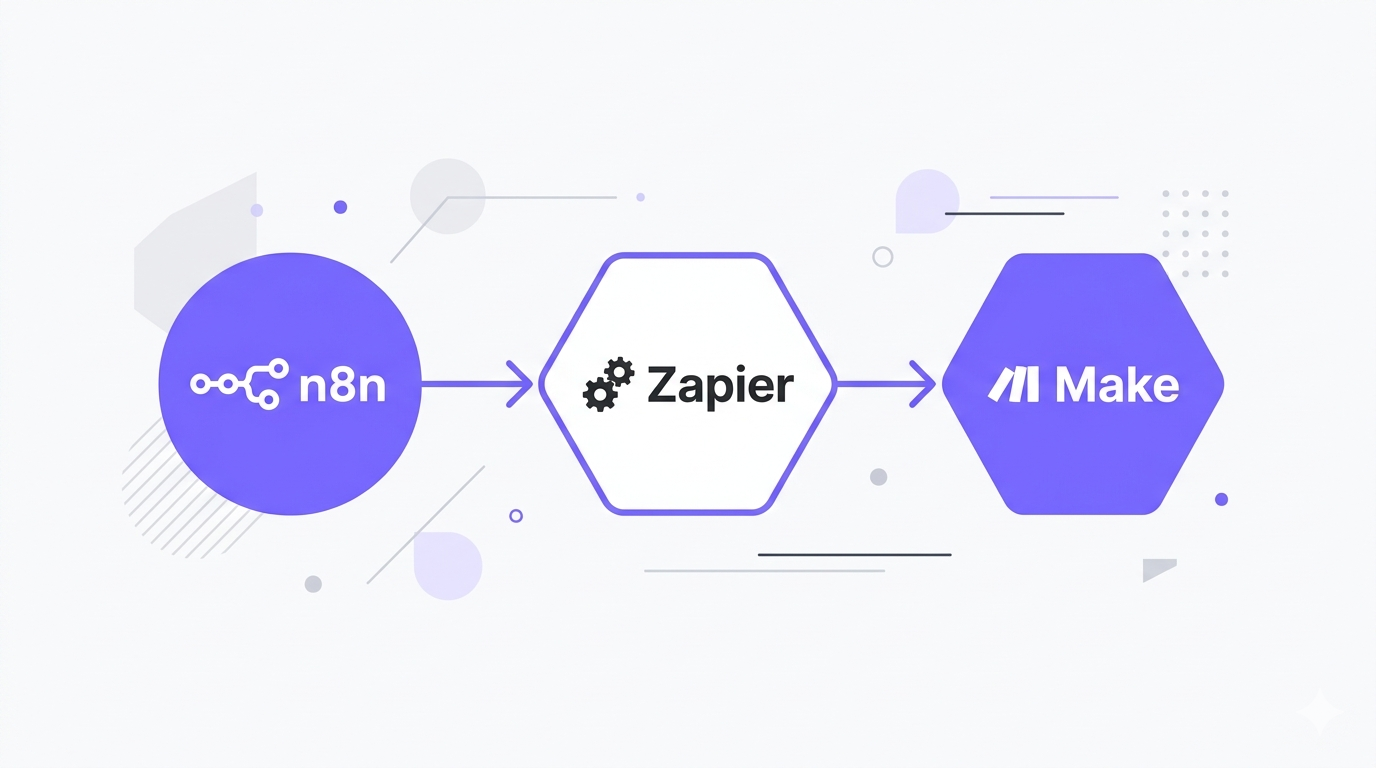
n8n vs Zapier vs Make — if you’re trying to automate your workflows in 2026, these three tools will come up in every conversation.
I’ve used all three in real projects. n8n runs the core automation stack for my content production workflow — from automated blog publishing to LinkedIn posting. I’ve built client projects on Zapier and Make. This isn’t a feature spec comparison pulled from their marketing pages — it’s what I actually learned from building with them.
A Quick Overview Before We Dive In
Here’s the 30-second version:
- Zapier — easiest to use, most app integrations, most expensive at scale
- Make — visual canvas, great for complex workflows, better pricing than Zapier
- n8n — open-source, self-hostable, steepest learning curve, best pricing, highest ceiling
If you’re non-technical and just want something working today without thinking about it: Zapier.
If you want more power and better value than Zapier: Make.
If you’re technical and want full control with no cost ceiling: n8n.
That’s the short answer. Now let’s get into the actual detail.
What Each Tool Actually Is
Before comparing features, it helps to understand the fundamental philosophy behind each tool — because the philosophy shapes everything about how they work.
Zapier: The Original No-Code Automation
Zapier was founded in 2011 and launched publicly in 2012. The core concept is simple: a Trigger causes an Action. Someone fills out a form (trigger) → a row gets added to a Google Sheet (action). That’s a Zap.
Zapier’s strength is its breadth. Over 6,000 native app integrations. If you need to connect two obscure SaaS tools, Zapier almost certainly supports both. The setup process is genuinely beginner-friendly — most Zaps can be configured without reading any documentation.
The trade-off is cost and ceiling. Zapier gets expensive fast, and complex workflows with branching logic feel awkward in its linear interface.
Make: The Visual Workflow Builder
Make (formerly Integromat, rebranded in 2022) takes a fundamentally different approach. Instead of a linear trigger-action setup, Make uses a canvas-based visual editor where you drag and connect modules like a flow diagram.
This visual approach makes complex, multi-path workflows much easier to understand and debug. You can see the data flowing through each module in real time, which is genuinely useful when something breaks.
Make also introduced the concept of «scenarios» — workflows that run on a schedule or in real time. The pricing model counts «operations» (each module execution) rather than tasks, which usually means more bang for your buck on complex workflows.
n8n: The Developer-First Workflow Engine
n8n is a different category of tool entirely. It’s open-source, was built by a European company (Nodemation GmbH, Berlin), and is designed for technical users who want full control over their automation infrastructure.
The core differentiator: you can run it yourself. n8n is available as a Docker container, an npm package, or through their cloud service. Self-hosting means unlimited workflows, unlimited executions, and complete data privacy — your data never touches a third-party server.
Beyond that, n8n supports native JavaScript execution inside any node. You can write code directly in the workflow, build custom API integrations from scratch, expose webhook endpoints, create sub-workflows, and do things that would be impossible — or prohibitively expensive — in Zapier or Make.
Pricing: The Full Breakdown
Pricing is where these tools diverge most dramatically, and where most comparisons fail to go deep enough.
Zapier Pricing (2026)
| Plan | Price | Tasks/month | Key Limits |
|---|---|---|---|
| Free | $0 | 100 | 5 Zaps, single-step only |
| Starter | $19.99 | 750 | Multi-step Zaps |
| Professional | $49 | 2,000 | Filters, formatters |
| Team | $69 | 2,000 | Multi-user, shared workspace |
| Company | Custom | Custom | SSO, advanced admin |
The task counting trap: In Zapier, each action in a multi-step Zap counts as one task. A Zap with a trigger and 4 actions = 4 tasks per execution. If that Zap runs 500 times a month, that’s 2,000 tasks — your entire Professional plan allocation, gone on one workflow.
For context: a modest automation setup with 10 Zaps averaging 3 steps each, running 200 times per day, burns through 6,000 tasks daily. At that volume you’d be looking at $299-$599/month on Zapier.
Make Pricing (2026)
| Plan | Price | Operations/month | Key Features |
|---|---|---|---|
| Free | $0 | 1,000 | 2 active scenarios |
| Core | $9 | 10,000 | Unlimited scenarios |
| Pro | $16 | 10,000 | Custom variables, full error history |
| Teams | $29 | 10,000 | Team collaboration |
| Enterprise | Custom | Custom | SSO, custom data residency |
The operations model: Make counts each module execution as one operation. A scenario with 6 modules that runs 1,000 times = 6,000 operations. This is usually better value than Zapier’s task model for complex workflows, but can surprise you on scenarios that loop through large datasets.
Additional operations can be purchased: roughly $9 per 10,000 extra operations. Make also lets you roll over unused operations to the next month on Pro and above.
n8n Pricing (2026)
| Plan | Price | Executions/month | Key Features |
|---|---|---|---|
| Community (self-hosted) | Free | Unlimited | Everything, self-managed |
| Starter (cloud) | $20 | 2,500 | Managed hosting |
| Pro (cloud) | $50 | 10,000 | Custom variables, log streaming |
| Enterprise (cloud) | Custom | Custom | SSO, custom contracts |
The self-hosting advantage: The community version is completely free with zero limits. Running n8n on a $6/month VPS (DigitalOcean, Hetzner, or similar) gives you unlimited executions, unlimited workflows, and complete control. For most solo users and small teams, this is the obvious choice if you’re technically capable of setting it up.
Even on the cloud plans, $20/month for 2,500 executions compares extremely favorably to Zapier — especially since n8n counts each full workflow run as one execution, regardless of how many nodes it has.
Interface and User Experience
Zapier: Designed for Zero Learning Curve
Zapier’s interface is intentionally simple. You select a trigger app, select a trigger event, connect your action app, map the data fields, and done. The setup wizard walks you through every step.
For beginners, this is a genuine strength. You don’t need to understand API calls, data structures, or workflow logic to get something working. The app directory is well-organized and the integrations are maintained by Zapier’s team, so they generally just work.
The weakness shows as soon as you need anything beyond linear trigger-action flows. Adding conditions (filters), multiple paths, or loops requires workarounds that feel unnatural. Debugging a failing Zap involves hunting through task history logs that aren’t always clear.
Make: Visual Clarity at a Cost
Make’s canvas editor is genuinely better for understanding complex workflows. Seeing all your modules connected with arrows, with real data flowing through each connection, makes debugging significantly easier. When something fails, Make highlights exactly which module failed and shows you the error inline.
The interface takes more time to learn than Zapier. Make introduces concepts like scenarios, modules, bundles, and iterators that require some orientation before they click. But once they do, building complex multi-path automations in Make is more intuitive than in Zapier.
Data transformation in Make is also more powerful. The built-in functions for manipulating strings, dates, arrays, and numbers are extensive and don’t require code.
n8n: Power User Interface
n8n’s interface is the hardest to learn of the three. It’s also the most powerful. The canvas-based editor is similar to Make, but with a more technical feel. You’re expected to understand concepts like JSON, HTTP requests, and data structures.
What makes n8n stand out is the Code node. At any point in a workflow you can drop in a JavaScript node and write custom logic — filter data, transform it, call external APIs, do complex calculations. This effectively removes the ceiling that Zapier and Make both have.
The HTTP Request node is equally powerful. Any API with HTTP endpoints can be integrated into n8n, even if there’s no native integration. Most modern SaaS tools have APIs, so n8n’s smaller native app library matters less than it appears.
App Integrations: The Real Picture
| Tool | Native Integrations | Custom API Support |
|---|---|---|
| Zapier | 6,000+ | Limited (Webhooks) |
| Make | 1,000+ | Good (HTTP module) |
| n8n | 400+ | Excellent (HTTP node + code) |
The raw numbers favor Zapier, but the reality is more nuanced. Most users work with 10-20 apps consistently. The question is whether those specific apps are supported — and all three tools cover the major ones (Google Workspace, Slack, Notion, Airtable, HubSpot, etc.).
Where Zapier genuinely wins is obscure or niche SaaS integrations. If you need to connect a specific vertical software (a dental practice management system, for example) Zapier is more likely to have a native integration.
Where n8n wins is everything else. The HTTP Request node means any API is fair game, and the Code node means you can transform and process data in ways that no native integration can match.
Real Workflow Examples
Example 1: Blog Auto-Publishing Pipeline
This is the workflow I run personally. New content idea → AI-generated draft → featured image → WordPress publish → Telegram notification. You can find the complete step-by-step guide to building this automated blog pipeline here.
On Zapier: Possible but expensive. Each step counts as a task. With AI steps (which count multiple API calls) this runs about 8-10 tasks per execution. At 30 posts/month, that’s 240-300 tasks just for this one workflow.
On Make: More efficient. The visual canvas makes the branching logic (what happens if image generation fails?) easy to handle. The operations count is better than Zapier. Estimated 5-6 operations per execution.
On n8n: This is what I actually use. One workflow execution per post regardless of node count. The Code node lets me do custom prompt formatting and response parsing. The entire pipeline runs for $20/month on cloud, or essentially free self-hosted.
Example 2: Lead Enrichment Workflow
New lead comes in from website form → look up company data → check if email is valid → score the lead → add to CRM → notify sales team if score above threshold → add to email sequence.
On Zapier: $49+ per month just for the multi-step capability and filters. Complex branching logic (the scoring and threshold check) requires Zapier Paths, which is a Professional feature.
On Make: Handles this elegantly on the $9 Core plan. The visual canvas makes the conditional branching clear. Easy to debug when the email validation step fails.
On n8n: Most powerful option. The scoring logic can be a custom JavaScript function. Self-hosted option makes this essentially free to run even at high volume.
Example 3: Daily Report Aggregation
Pull data from 5 different sources every morning → clean and normalize → calculate KPIs → generate formatted report → send via email and Slack.
On Zapier: Gets complicated fast. Aggregating data from multiple sources in a single Zap is awkward. You’d likely need multiple Zaps chained together.
On Make: Good fit. Make’s aggregator modules are specifically designed for this kind of multi-source data collection.
On n8n: Excellent fit. Loop through sources, aggregate data into a single object, format with a Code node, send anywhere. Runs as a scheduled workflow at zero variable cost.
Error Handling and Reliability
This is an often-overlooked dimension that matters a lot in production.
Zapier has basic error handling. You get an email when a Zap fails. You can set up error notifications. Replaying failed tasks is possible but manual. For critical automations, the lack of sophisticated retry logic is a real limitation.
Make has the best error handling of the three. Every scenario has dedicated error handler routes — you can define exactly what happens when a specific module fails. Automatic retries, fallback paths, and detailed error logs make Make the most reliable option for production workflows without custom code.
n8n has good error handling with catch nodes and error workflows, but it requires more configuration than Make. The self-hosted version also means you’re responsible for uptime — if your VPS goes down, your automations stop. The cloud version has the same uptime guarantees as Make and Zapier.
Security and Data Privacy
For businesses handling sensitive data, where your automation data goes matters.
Zapier and Make are both cloud-only. Your data passes through their servers. Both comply with GDPR and SOC 2, but your workflow data — including any customer or business data processed by your automations — lives on their infrastructure.
n8n self-hosted means your data never leaves your infrastructure. For industries with strict data requirements (healthcare, legal, finance) or companies with strong data privacy policies, this is a significant advantage that neither Zapier nor Make can match.
Community and Support
Zapier has the largest community by far. Thousands of tutorials, YouTube videos, courses, and third-party resources. Official support is responsive. This matters if you’re non-technical and will rely on external resources to learn.
Make has a strong community forum and good documentation. The learning resources have improved significantly since the rebrand. Official support is solid.
n8n has a growing, highly engaged community — especially among technical users. The official forum is active, the documentation is comprehensive, and the open-source nature means community contributions are frequent. However, for non-technical users, self-help resources are less beginner-friendly than Zapier or Make.
Migration Considerations
If you’re already on one platform and considering switching:
From Zapier to Make: Relatively straightforward. Most Zapier integrations have Make equivalents. Budget 2-4 hours to rebuild a 10-Zap setup in Make. The visual interface takes some getting used to but usually clicks within a day.
From Zapier to n8n: More involved. Requires either self-hosting setup or cloud account. The workflow builder has a steeper curve. Budget a weekend for the initial setup and migration of basic workflows. The payoff in cost savings and power is usually worth it.
From Make to n8n: Similar complexity to the Zapier migration. Make users tend to adapt to n8n faster because both use canvas-based interfaces.
The Final Veredict: n8n vs Zapier vs Make
Choose Zapier if:
- You’re non-technical and want something working in 10 minutes
- You need a specific niche app integration
- Time is more valuable than cost to you
- You’re setting up simple, linear automations
Choose Make if:
- You want more power than Zapier at a fraction of the price
- You need to build complex workflows with branching logic
- You value visual clarity and want to explain workflows to others
- Error handling and reliability matter to your use case
Choose n8n if:
- You’re technically comfortable (or willing to invest time learning)
- You’re running high-volume automations where cost matters
- You want to integrate APIs that don’t have native integrations
- Data privacy or self-hosting is a requirement
- You want to add custom code to your workflows
- You’re serious about automation as a core part of your business infrastructure
My Personal Recommendation
For most people reading this who are freelancers, solopreneurs, or small team operators: start with Make. It gives you 80% of n8n’s power at a fraction of the learning curve, and it’s dramatically cheaper than Zapier.
If you find yourself hitting Make’s limits — needing custom code, self-hosting, or running high-volume automations — migrate to n8n. The learning investment pays off quickly.
Zapier is best reserved for situations where a specific native integration is a hard requirement and you can’t replicate it with an HTTP call.
FAQ
Is n8n really free?
The self-hosted community version is completely free with no limits on workflows or executions. You need to run it on your own server (a $5-6/month VPS works fine) or use a service like Railway or Render. The cloud version starts at $20/month. For technically capable users, self-hosting is by far the best value in the automation space.
Can n8n replace Zapier completely?
For technical users, yes — and then some. n8n can do everything Zapier does and significantly more, thanks to the Code node and HTTP Request node. The only genuine gap is in niche native integrations, which can usually be worked around with direct API calls.
Is Make better than Zapier?
For most use cases, yes. Make offers better visual workflow building, more powerful data transformation, superior error handling, and significantly lower pricing. The only area where Zapier wins is native app library breadth and ease of first-time setup.
Which tool has the best free plan?
For cloud usage: Make (1,000 operations/month, 2 active scenarios). For unlimited usage: n8n self-hosted (completely free, no limits, requires technical setup). Zapier’s free plan (100 tasks, 5 Zaps, single-step only) is quite limited.
How much does Zapier cost for 10,000 tasks per month?
You’d need the Professional plan at $49/month for 2,000 tasks, then purchase add-on task bundles. 10,000 tasks/month on Zapier costs roughly $99-$150/month. The equivalent workload on Make costs $9-16/month. On n8n self-hosted: essentially free.
Can I migrate from Zapier to n8n?
Yes, but there’s no automated migration tool. Workflows need to be rebuilt manually in n8n. For most setups, rebuilding 10-15 workflows takes a weekend. The cost savings typically justify the one-time effort within 1-2 months.
Which automation tool is best for AI workflows?
n8n is the strongest for AI-powered workflows. It has native integrations for OpenAI, Anthropic Claude, Google Gemini, and Hugging Face, plus the Code node for custom AI logic. Make is a close second. Zapier has AI integrations but the per-task pricing makes AI workflows (which typically involve multiple API calls) expensive at scale. For a breakdown of which AI model to use in your workflows, see our Claude vs ChatGPT vs Gemini comparison.
Is Make safe for sensitive business data?
Make is GDPR-compliant and SOC 2 certified, which covers most business requirements. For stricter data requirements (healthcare, legal, financial services), n8n self-hosted is the only option that keeps your data entirely within your own infrastructure.
